Web recipe import
Bring in recipes from public URLs, then review the parsed result before saving. Keeping the recipe—not only the bookmark—means your copy remains useful if the original page moves or disappears.
 Your Kitchen LibraryYour recipes. Your way.
COMPLETE PRODUCT TOUR
Your Kitchen Library is built around the whole life of a recipe: bringing it in, finding it later, cooking from it, planning meals, shopping once, sharing appropriately and keeping the collection safe for years.
COLLECT
Use the source you already have instead of retyping everything.
Bring in recipes from public URLs, then review the parsed result before saving. Keeping the recipe—not only the bookmark—means your copy remains useful if the original page moves or disappears.
Paste a recipe directly when a clean file or URL is not available.
Import text, HTML, RTF, DOCX, legacy DOC and PDF sources.
OCR can extract printed recipe text from scans and images, with a correction step before parsing.
Move recipes between Your Kitchen Library and widely used recipe tools. Most structured imports have a matching export; exceptions are stated clearly in the compatibility table below.
Normal imports open in the familiar recipe editor. Nothing quietly replaces a good recipe behind your back.
IMPORT & EXPORT
Imports open for review before saving. Export is provided whenever the destination publishes a stable format it can read; an import-only exception is labeled instead of promising a file the other program may reject.
| Format | Import | Export | Images |
|---|---|---|---|
| DDR v2 | Yes | Yes | Yes |
| Tandoor Recipes | Yes | Yes | Yes |
| Nextcloud Cookbook | Yes | Yes | Yes |
| Mealie | Yes | Yes | Yes |
| RecipeSage | Yes | Yes | URL references |
| Copy Me That | Yes | Not claimed | Yes on import |
| Cooklang | Yes | Yes | No standard package |
| Chowdown | Yes | Yes | No standard package |
| MasterCook | Yes | Yes | Format-dependent |
| Paprika | Yes | Not claimed | Where present |
| Meal-Master | Yes | Yes | No |
| Recipe Keeper | Yes | Compatible export | Yes |
DDR v2 is the recommended lossless format for moving recipes between Your Kitchen Library installations. Copy Me That and Paprika are import-only because they do not publish a compatible writer contract we can responsibly claim.
Have another format? Send us a representative export for evaluation.
FIND & ORGANIZE
Search titles, ingredients or full recipe text with live suggestions while you type.
Combine included and excluded ingredients, category, method, content type, source, time, rating, vegetarian status, Favorites and Want to Try.
Browse the home library by practical categories and maintain a clear primary category plus valid secondary categories.
Keep proven recipes close without changing the recipe itself.
Maintain a separate personal queue for recipes you intend to cook later.
Jump directly to frequently favored recipes, recent additions or an alphabetical collection.
COOK
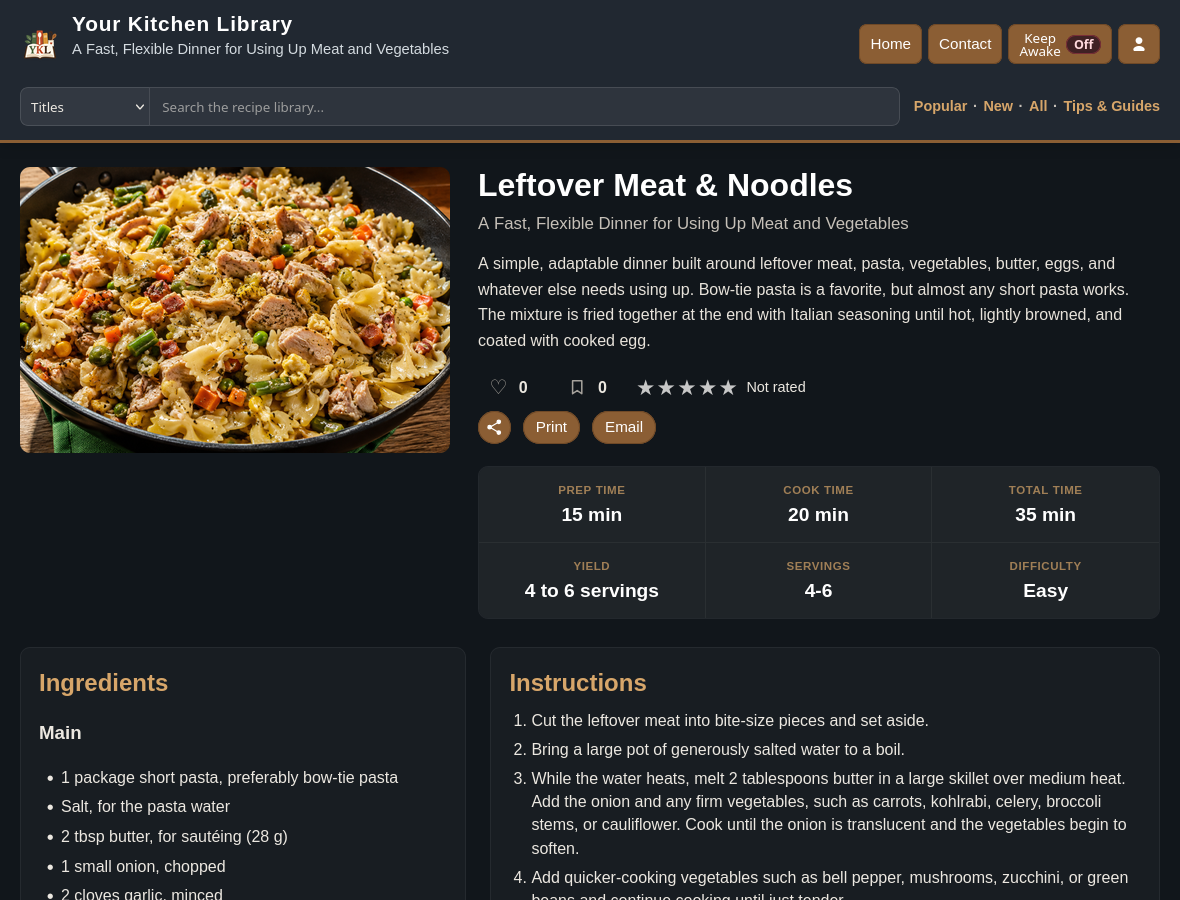
Read ingredients and instructions cleanly, scale ingredient quantities, record what happened when you made it, keep the screen awake, print a practical copy or use the same page on a phone or tablet.
PLAN & SHOP
My Kitchen connects the recipes you plan to cook with the groceries you actually need.
Plan Sunday through Saturday, with multiple recipes on a day and planned servings for each.
Send a recipe directly to the current week's meal plan from its recipe page.
When the same recognized ingredient appears in several planned recipes, quantities are combined when it is safe to do so.
Track recipe totals, what you already have, what to buy, units, skip state and pantry state.
Use package information where it is known rather than pretending every ingredient is purchased in exact recipe quantities.
Add ordinary grocery items without mixing them invisibly into recipe-derived calculations.
MANAGE
Guest, Member, Power User, Admin and Owner provide a useful starting point for different kinds of access.
Permissions control personal features, printing, sharing, import/export, editing, meal planning, administration and more.
Choose whether people can request accounts and, when enabled, require email verification before approval.
Authorized users can expose management controls when needed and hide them during ordinary browsing.
Manage public access, account behavior, owner-editable branding and other site-facing settings through the administration interface.
Check installation, mail/configuration and important runtime conditions after setup, upgrades or repairs.
KEEP IT
Docker-based deployment, documented backup/restore, native recipe export and release-to-release upgrade tooling are designed to keep the library maintainable rather than trapping it in a service you cannot control.
SEE IT WORK
Browse the library, open recipes and see the interface before installing anything.